Pocket Prep EMS 2026
Pocket Prep, Inc.Education
4.5454.00 Reviews
- Version
- 3.29.1
- Installs
- 100.00K
- Age Rating
- Everyone
Screenshots
Our Review of Pocket Prep EMS 2026
 Analysis by Appyee
Studying for an EMS certification can be awkward in a shared home. You might have only a short break between work, family responsibilities, and reviewing material, while another person needs the phone or tablet. Pocket Prep EMS 2026 is an education app from Pocket Prep, Inc. that puts EMS exam practice on a mobile device. I see its clearest value as a way for an individual candidate to fit focused question practice into ordinary gaps in the day, rather than as a shared household study system.
A study session that fits around other people
Picture a candidate reviewing questions at the kitchen table while a family member uses the same tablet later for something else. The app can make that brief study window useful: answer a small set, read the explanations, then stop without needing to spread books and notes across the room. That kind of convenience matters when study time comes in fragments. I would still treat the device as belonging to one learner during a session, because exam progress and personal study activity are not the same thing as a family calendar or shared learning plan.
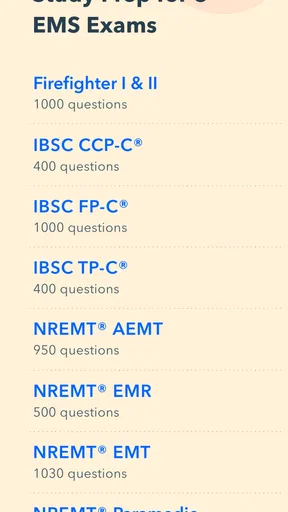
Its focus is specific: the app is designed for preparation across nine EMS certification exams, with practice questions and mock exams. That makes it more relevant to someone who already knows which certification path they are pursuing than to a household member casually exploring general first aid. If a parent, partner, or roommate wants to help, the most practical role is to protect a regular study window or quiz the learner from material they have chosen—not to assume the app itself coordinates several people.
Keep the learner and the device use clear
Before making it part of a shared-device routine, I would agree on a simple boundary: who is studying, when the device is available, and whether anyone else should open the learner’s profile. That is ordinary good practice for any personal study app, especially when progress records matter to the person preparing for an exam. I would not count on a family-management or multi-user arrangement unless I had checked the app directly; the useful assumption is that each candidate should manage their own study activity.
There is also a practical trade-off between convenience and concentration. A phone is easy to pick up for a short practice session, but notifications and the temptation to switch apps can break attention. I get better value from using a defined block—perhaps a few questions followed by a careful review—than from tapping through questions while half-focused on household conversation. If the device is routinely passed around, signing out or otherwise protecting access where appropriate is sensible, but the core solution is a clear household agreement rather than expecting the study tool to enforce one.
Getting Started with Pocket Prep EMS 2026
When I first downloaded Pocket Prep EMS 2026, I was pleasantly surprised by its sleek and user-friendly interface. The app is available on both Android and iOS, making it accessible for pretty much everyone with a smartphone. Once you open it up, the clear menus and organized layout make navigation a breeze. You don't have to be tech-savvy to figure it out.
It is free to download, with in-app purchases ranging from $15.99 to $95.99 per item. I would start by checking what access is included before building a study routine around a particular set of materials. That is especially important if you are sharing a device with someone who might install the app but is not the person paying for or using an expanded option. The app is rated for Everyone, but that age label is not a recommendation that it suits every child: its purpose is exam preparation, so the content is most useful to someone studying EMS certification material.
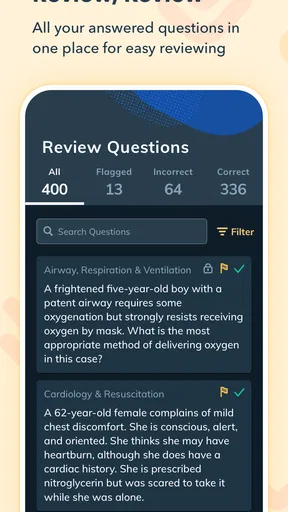
After setting up your profile, you can immediately dive into a world of practice questions. The app boasts a massive question bank, with over 1000 questions tailored to cover the spectrum of EMS topics. The questions are regularly updated, so you're always working with the most current information.
Features That Make It Stand Out
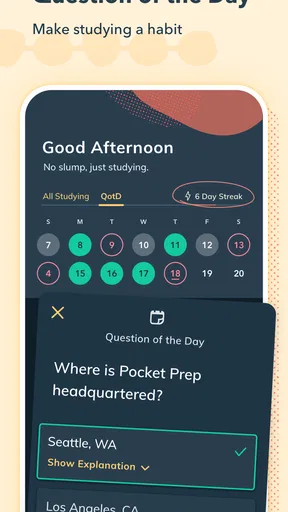
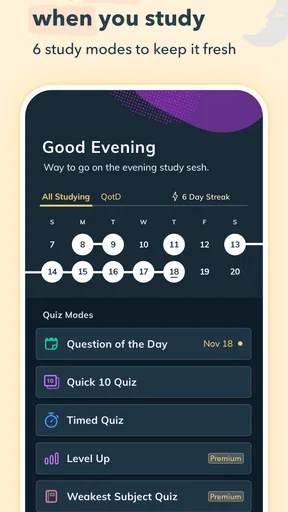
One of the features I really appreciated was the "Question of the Day." It's like a little nudge to keep you on your toes every day. This, combined with the customizable practice tests, allows you to focus on areas where you need the most improvement. You can tailor your study sessions to zero in on specific topics, which is super handy.
A useful way to make that flexibility work is to avoid treating every question as a score to chase. When you miss one, pause and identify whether the gap was a forgotten fact, a misunderstanding of the scenario, or a rushed reading of the wording. Then choose a later session that concentrates on the relevant topic. That small habit turns a practice bank into a more deliberate revision routine and helps prevent the same weak area from disappearing beneath a reassuring overall progress view.
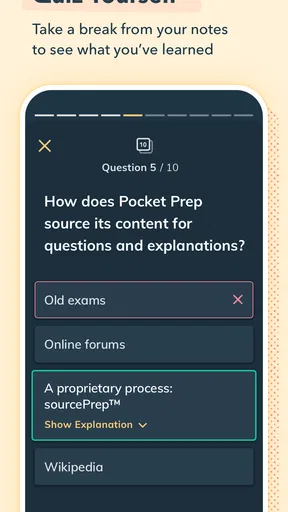
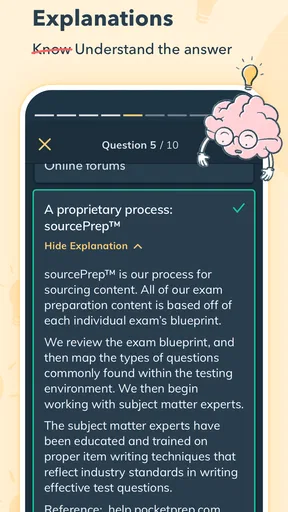
The detailed explanations for each question are a lifesaver. It's not just about finding out the correct answer; the app helps you understand why that answer is correct. This in-depth feedback loop reinforces learning and helps you remember the material better.
I would use those explanations as a prompt to check understanding, not as a replacement for a course, textbook, or instructor. Read the rationale, then try to explain the reasoning in your own words before moving on. If you cannot, mark the concept in your own notes and revisit it later. That is particularly valuable for EMS topics, where memorizing a choice without understanding the judgment behind it can leave you unprepared for differently worded questions.
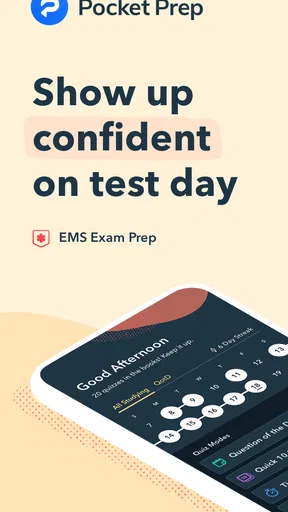
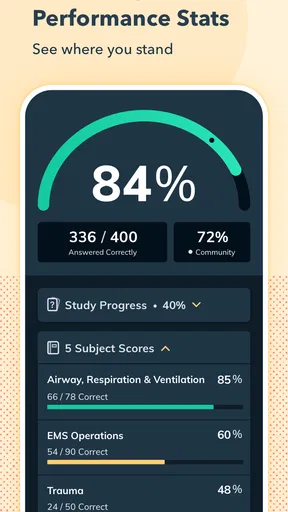
Another cool feature is the progress tracking. You can easily see how you're doing over time, with nifty charts and graphs showing your improvements and areas that need more attention. It's motivating to watch your progress bar inch towards completion!
Progress indicators are most helpful when you use them to decide what to study next, not to declare yourself exam-ready on their own. A strong run in familiar topics can hide a persistent gap elsewhere, so I would compare the trend with the subjects you have deliberately practiced. One sensible workflow is to begin with a short mixed session, review the explanations, then spend the next block on a weaker area before returning to mixed practice. That gives the charts a practical purpose without letting a single score dictate your confidence.
Choosing the right study routine
For someone preparing for a certification exam, a practical routine is to use brief sessions for recall and reserve longer, quieter periods for mock exams and careful review. The daily question can keep material in rotation when life is busy, while topic-focused practice is better when you know exactly what needs attention. I would avoid taking a mock exam in a noisy room or while someone else is waiting for the device; interruptions make it harder to judge whether the result reflects your knowledge or simply a disrupted session.
This is where the app differs from the usual alternatives. A textbook or course can offer broader explanations and a structured sequence, while a general flashcard app depends heavily on what the learner creates or imports. Pocket Prep EMS is more immediately centered on answering certification-style practice questions and reviewing their explanations. That convenience is a strength for targeted revision, but it does not make the app a substitute for hands-on training, formal instruction, or the official requirements of an exam program.
It is also worth being realistic about who should skip it. If you are looking for broad medical education, a tool for teaching children basic safety, or a shared family activity, this is too specialized. If you learn best through live discussion, demonstrations, or feedback from an instructor, a question-practice app should play a supporting role rather than become your main resource. For an EMS candidate who wants mobile practice and can study independently, the format is a much better fit.
Using the App on the Go
What I really love about Pocket Prep EMS 2026 is its portability. I mean, who doesn't want to study on the go? Whether you're waiting in line for coffee or commuting on the bus, you can squeeze in a quick study session. The app syncs across devices, so you can switch between your phone and tablet without any hassle.
In a household, switching devices can help when one person needs the phone for the day and has a tablet available later. I would still make sure the same learner is continuing the same study routine, rather than treating separate devices as separate candidates or assuming that family members can combine their progress. For a commute, short question sets are a better fit than a full mock exam: they are easier to pause when a stop arrives, and the explanations can be read when you have enough attention to absorb them.
Plus, the offline mode is a game-changer. If you're out of Wi-Fi range, you can still access your downloaded questions and continue studying without any interruptions. This flexibility is perfect for anyone with a busy lifestyle.
Offline access is useful for planned study away from a reliable connection, but it is worth preparing before leaving home by making sure the material you intend to use is available. I would not assume every part of an app behaves identically offline; the safest approach is to test the particular study flow you need before relying on it during travel. And if another household member is borrowing the device, agree on when it will be returned so an exam-prep session does not unexpectedly turn into a scramble for access.
Age, trust, and realistic expectations
The Everyone rating concerns the app’s age classification, while the learning task itself is aimed at people working toward EMS certification. I would feel comfortable recommending it to an adult candidate who wants structured practice, but I would not hand it to a younger family member expecting a general science or health app. A parent helping a student should first consider whether certification content matches that student’s level and purpose, and should stay involved in how the material is used.
Trust also means keeping the app in its proper role. Practice questions can reveal what you know and what needs more work, but a good performance inside a study tool is not proof of clinical competence. For the same reason, I would use trusted instruction and current course materials alongside the app, especially when a concept has real-world implications. That balanced approach gives the question bank a clear job—revision and self-checking—without asking it to do the work of supervised training.
The app has an average rating of 4.6 from around 2.8 thousand ratings, and it has more than 100 thousand installs. Those figures suggest it is widely used, but I would still judge the fit by the learner’s certification goal and study style. Its current version is 3.24.5, and it supports devices running Android 8.0 or later. If your phone is older, check compatibility before planning to depend on it for daily revision.
Final Thoughts
So, is Pocket Prep EMS 2026 worth it? If you're serious about passing your EMS exams, I'd say absolutely. The app is comprehensive and offers a robust set of tools to help you succeed. From the vast question bank to the detailed explanations and performance tracking, it covers all bases.
My recommendation is strongest for an individual candidate who wants to turn spare moments into purposeful question practice and is willing to review mistakes rather than simply chase a score. It is less compelling as a household resource: family members can help protect study time, but each learner should keep their own goals and progress clear. Before paying for any in-app option, check which access suits your preparation plan; the free download makes it easy to explore the app first.
The app's intuitive design, combined with its focus on user experience, makes it a standout choice among other study apps. It's like having a personal tutor in your pocket. So, if you're gearing up for the next big exam, give Pocket Prep EMS 2026 a shot and see how it can transform your study habits.
Verdict
Strengths of Pocket Prep EMS 2026
- Comprehensive question bank.
- User-friendly interface.
- Customizable practice tests.
- Detailed performance analytics.
- Offline access available.
Limitations of Pocket Prep EMS 2026
- Limited free content.
- Occasional app crashes.
- Some questions outdated.
- No real-time tutor support.
- Subscription can be pricey.
Other Releases by Pocket Prep, Inc.
View All
Pocket Prep Nursing 2026
Education4.6

Pocket Prep IT & Cybersecurity
Education4.3

Pocket Prep Professional 2026
Education4.5

Pocket Prep Behavioral Health
Education4.5
Similar Picks in This Category
View All
Duolingo: Language Lessons
Duolingo4.7

Google Classroom
Google LLC2.8

Unacademy: Learn & Crack Exams
Unacademy3.2

Bible App for Kids
Life.Church4.4

Cake - Learn English & Korean
Cake Corp.4.7

Brainly: AI Homework Helper
Brainly4.5
Frequently Asked Questions
What is Pocket Prep EMS 2026 and how does it benefit users?
Pocket Prep EMS 2026 is a comprehensive mobile application designed to help aspiring emergency medical service professionals prepare for their certification exams. The app offers a wide range of practice questions, quizzes, and study resources that mimic the actual exam format. It helps users assess their knowledge, identify weak areas, and improve their test-taking skills, enhancing their chances of passing the certification exams.
Is Pocket Prep EMS 2026 free to use, or does it require a subscription?
Pocket Prep EMS 2026 offers both free and premium features. Users can access a limited number of practice questions and basic features for free. However, to unlock the full range of questions, quizzes, and advanced study tools, a subscription is required. Subscription plans are available on a monthly or annual basis, providing flexibility to users based on their study needs.
What types of questions can I expect in Pocket Prep EMS 2026?
The app includes a diverse array of questions covering all critical areas of the EMS certification exams. These questions are designed to simulate the actual exam conditions, including multiple-choice questions, situational judgment tests, and scenario-based queries. The content is regularly updated to reflect the latest exam standards and guidelines, ensuring users receive the most relevant and accurate preparation materials.
Can I track my progress and performance in Pocket Prep EMS 2026?
Yes, Pocket Prep EMS 2026 features a robust progress tracking system. Users can view detailed analytics on their performance, such as scores, time taken per question, and improvements over time. This allows users to monitor their progress, identify areas that need more focus, and adjust their study strategies accordingly. The app also provides personalized study recommendations based on performance metrics.
Is Pocket Prep EMS 2026 available for both Android and iOS devices?
Pocket Prep EMS 2026 is available for download on both Android and iOS platforms. Users can find the app on the Google Play Store for Android devices and the Apple App Store for iOS devices. This cross-platform availability ensures that users can access their study materials anytime, anywhere, making it a convenient choice for on-the-go learning.
